You’ve just finished a promising client consultation. They loved your vision for their home, nodded enthusiastically at your mood board ideas, and said they’d “get back to you soon.” You send over your proposal—a carefully crafted Word document or PDF—and then… silence.
Two weeks later, they finally respond, asking if you can “just add the bedroom” to the original quote. No mention of additional payment, of course. This is scope creep in action, and it’s draining your profit margins faster than you can say “shiplap accent wall.”
The problem isn’t your talent or your prices. It’s your proposal process. A vague, static document leaves too much room for misinterpretation, stalled decisions, and unpaid invoices.
Below, I’m giving you the exact text structure you need for a bulletproof interior design proposal. Plus, I’ll show you how to digitize it so clients can sign and pay their deposit in one click.
The Essential Elements of a Design Proposal
Before we get to the template itself, let’s break down what every strong interior design proposal must include. Think of this as your checklist—if any of these elements are missing, you’re leaving money on the table.
1. The “Hook” (Project Overview)
Start by restating your client’s vision back to them. This isn’t just politeness—it’s proof that you listened during the consultation. When a client sees their own words reflected in your proposal (“You mentioned wanting a cozy, book-lined study where you can escape after long work days”), they feel understood. That emotional connection makes them far more likely to sign.
2. Scope of Work (The “Room-by-Room” Breakdown)
Vague language like “full design services” is your enemy. Instead, list specific deliverables for each space. For example:
Living Room:
- 2 mood board revisions
- 1 scaled floor plan
- Custom furniture sourcing list (up to 15 items)
Primary Bedroom:
- Color palette selection
- Window treatment design
- Bedding and textile curation
This granular approach protects you when a client inevitably asks, “Can you also redesign the hallway?” You can point to the original scope and offer it as an add-on service.
3. The Timeline
Break your project into clear phases with realistic deadlines:
- Phase 1: Concept Design (Weeks 1-2): Mood boards, color palette, initial layouts
- Phase 2: Detailed Design (Weeks 3-5): Floor plans, 3D renders, material selections
- Phase 3: Procurement (Weeks 6-10): Ordering, logistics, vendor coordination
- Phase 4: Installation (Weeks 11-12): Delivery, styling, final walkthrough
Clients appreciate knowing what to expect and when. It also gives you leverage if they delay approvals—you can point to the timeline and adjust future dates accordingly.
4. The Fee Structure
This is where many designers get squeamish, but transparency here builds trust. Consider offering three pricing tiers:
- Option A: E-Design ($2,500): Digital-only deliverables sent via email
- Option B: Full Service ($8,500): Everything in Option A, plus procurement and project management
- Option C: VIP Experience ($15,000): White-glove service including installation, styling, and two post-project adjustment visits
Presenting multiple options accomplishes two things. First, it anchors the client’s expectations—suddenly, your middle-tier pricing looks reasonable. Second, it encourages upsells. Many clients initially think they want Option A but realize they need the support of Option B.
5. Terms & Conditions
Don’t skip this section. At minimum, include:
- Payment Schedule: “50% deposit due upon acceptance, 25% at procurement phase, 25% at installation”
- Purchasing Policies: Clarify who pays for furniture (typically the client, with you earning a commission or procurement fee)
- Revision Limits: “Two rounds of revisions included per design phase; additional revisions billed at $150/hour”
- Cancellation Policy: Protect yourself with a kill fee if the client backs out mid-project
These aren’t fun to write, but they’ll save you from awkward conversations later.
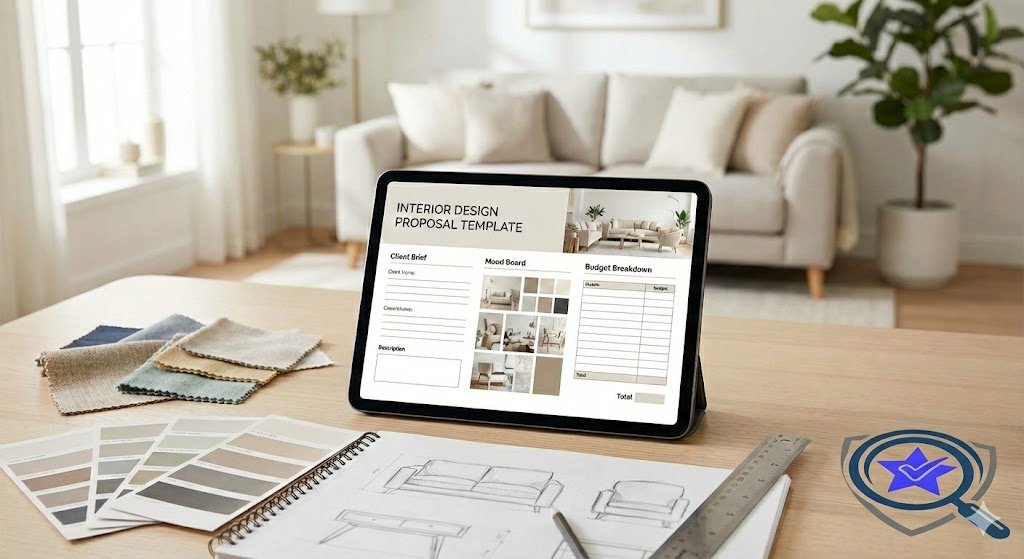
Free Interior Design Proposal Template (Copy & Paste)
Now for the good stuff. Below are actual text blocks you can adapt for your own proposals.
Introduction Script:
“Thank you for inviting [Your Company Name] into your home and trusting us with your design vision. Based on our consultation, we understand you’re looking to create a [adjective, eg, ‘serene,’ ‘vibrant’] space that reflects your [specific need, eg, ‘love of Mid-Century Modern design’ or ‘need for functional family living’]. This proposal outlines how we’ll bring that vision to life.”
Scope of Work Example:
Phase 1: Concept Design
- Space planning and furniture layout for [list rooms]
- Two custom mood boards featuring color palettes, textures, and inspiration images
- Virtual consultation to review concepts (up to 90 minutes)
Phase 2: Detailed Design
- Scaled floor plans with precise furniture dimensions
- 3D renderings of [X] key spaces
- Finalized material and finish selections (paint, tile, flooring, etc.)
Phase 3: Procurement
- Sourcing and ordering all specified furniture, lighting, and decor
- Vendor coordination and delivery scheduling
- Quality control inspections upon arrival
Phase 4: Installation
- On-site styling and placement
- Final walkthrough and adjustments
- Delivery of care and maintenance guides
The “Kill Fee” Clause:
“If this project is terminated by the client after work has commenced but before completion, [Your Company Name] will be compensated for all work completed to date, plus 25% of the remaining balance as a kill fee to cover time allocated for this project.”
Why “Static” Templates (Word/PDF) Are Costing You Money
Let’s talk about what happens after you send that beautifully formatted PDF proposal. Your client opens it on their phone while waiting for a latte. They skim the first page, scroll to the price, and think, “I’ll review this later.” Then life happens. The proposal gets buried under emails, text threads, and weekend errands. A week passes. They forget the details of your consultation. The excitement fades.
Static documents don’t create urgency. They’re easy to ignore because there’s no friction—no action required beyond reading. Worse, they don’t reflect the visual, high-touch service you’re selling. You’re offering stunning transformations, but your proposal looks like a legal brief. That disconnect lowers your perceived value.
Then there’s scope creep. When your deliverables are buried in paragraph form, clients genuinely forget what’s included. They’ll ask for “one more thing” without realizing it’s not in the original agreement. You’ll either eat the cost to keep them happy or have an awkward conversation about additional fees. Neither scenario is ideal.
The Better Way: Using Ignition for Interior Design
There’s a smarter way to handle proposals, and it involves shifting from static documents to interactive, digital agreements. Ignition is a proposal software built specifically for service-based businesses, and it’s a game-changer for interior designers.
Feature 1: Visual Proposals
Ignition lets you embed rich media directly into your proposals. That means you can include a walkthrough video from Foyr Neo or SketchUp, showing your client exactly what their redesigned space will look like. Instead of asking them to imagine the transformation, you’re putting it right in front of them. This isn’t just impressive—it’s persuasive. Seeing their future living room makes the decision to move forward feel real.
Feature 2: The “3-Tier” Upsell
Remember those pricing options we talked about earlier? Ignition displays them side-by-side in a clean, visual format. Clients can compare features and select the package that fits their needs and budget. This presentation style naturally encourages upsells. When clients see everything Option B includes compared to Option A, they often choose the higher tier without you having to sell them on it.
Example Tiers:
- Option A: E-Design – Digital mood boards, shopping lists, and virtual consultations
- Option B: Full Service – Everything in Option A, plus procurement, vendor management, and project oversight
- Option C: VIP Experience – All Full Service benefits plus white-glove installation, two styling sessions, and priority booking
Feature 3: The “Deposit Lock”
Here’s where Ignition really shines. Clients can’t accept your proposal without paying the deposit first. No more signing the agreement on Tuesday and “forgetting” to send the check until three weeks later. The payment is integrated into the acceptance flow, so when they click “I agree,” they’re immediately prompted to pay via credit card or ACH transfer. Your retainer hits your account within days, not weeks.
This feature alone eliminates the awkward follow-up emails asking when you’ll receive payment. It also filters out tire-kickers—if someone isn’t ready to commit financially, they won’t sign. You save time by focusing only on serious clients.
Ignition vs. The Competitors (For Designers)
You might be wondering how Ignition stacks up against other platforms designers use. Here’s a quick comparison.
Ignition vs. Houzz Pro:
Houzz Pro is an all-in-one platform offering project management, invoicing, and proposals. It’s popular, but it’s also expensive (starting at $149/month and climbing quickly with add-ons). Many designers find it clunky and report frequent bugs. Ignition, on the other hand, is a specialized financial tool. It integrates seamlessly with accounting software like QuickBooks, so you’re not duplicating data entry. If you’re already using a project management tool you love, Ignition fits into your workflow without forcing you to switch ecosystems.
Ignition vs. HoneyBook:
HoneyBook is beloved by wedding planners and photographers, and it works for designers too. However, it charges transaction fees on every payment processed (typically 2.9% + $0.30 per transaction). If you’re managing high-ticket projects or recurring retainers, those fees add up fast. Ignition is better suited for retainers and recurring management fees because it doesn’t nickel-and-dime you on every payment.
Step-by-Step: How to Build Your Design Proposal in Ignition
Ready to get started? Here’s how to create your first proposal in Ignition.
Step 1: Create Your “Services” in the Library
Navigate to your Ignition dashboard and build out your service offerings. These are the building blocks of your proposals. For example:
- Concept Board (Deliverable)
- Site Visit (Time-based service)
- 3D Rendering (Deliverable)
- Full Procurement Package (Bundled service)
Once these are saved in your library, you can drag and drop them into future proposals in seconds.
Step 2: Upload Your Brochure/Portfolio as the “Feature Image”
Make your proposal visually appealing by adding a hero image—this could be a photo from a past project, your logo on a branded background, or a mockup of the client’s space. First impressions matter, and a polished, professional proposal sets the tone for the entire project.
Step 3: Set the “Payment Terms” to “50% on Acceptance”
Under the payment settings, configure your retainer structure. Most designers charge 50% upfront, but you can adjust this based on your business model. Ignition will automatically calculate the deposit amount and collect it when the client signs.
Step 4: Send It
Hit send, and your proposal lands in the client’s inbox with a clean, clickable link. They can review it on any device, ask questions via built-in comments, and sign when they’re ready. You’ll get a notification the moment they accept and pay.
FAQ
What should be in an interior design scope of work?
Your scope of work should include every deliverable you’re providing, broken down by room or project phase. Be specific: instead of “design services,” list “two mood board revisions, one scaled floor plan, and a curated shopping list of up to 20 items.” This protects you from scope creep and sets clear expectations with your client.
How do I ask for a deposit upfront?
Frame it as standard industry practice, which it is. In your proposal, include language like: “A 50% deposit is due upon acceptance of this proposal to reserve your spot on our calendar and initiate the design process.” Using a tool like Ignition makes this seamless since the deposit is collected automatically when the client signs.
Can I use Ignition if I use QuickBooks for Designers?
Yes. Ignition integrates with QuickBooks, Xero, and other accounting platforms. Once a proposal is accepted and paid, the transaction syncs automatically, saving you from manual data entry and reducing errors.
What if my client wants to negotiate the price?
Build flexibility into your pricing from the start by offering tiered options. If a client balks at your VIP package, they can step down to Full Service or E-Design. This gives them control while keeping you profitable. If they want a custom solution, you can duplicate a proposal and adjust the scope accordingly.
How do I handle revisions beyond what’s included in the proposal?
State your revision policy clearly in the terms and conditions: “Two rounds of revisions are included per design phase. Additional revisions will be billed at $150 per hour.” When a client requests extra changes, refer back to this clause and send a separate invoice or addendum. Most clients understand once it’s in writing.
Protect Your Time, Elevate Your Business
Your proposal isn’t just a formality—it’s a sales tool, a legal safeguard, and a client education document all rolled into one. When you treat it with the care it deserves, you’ll see fewer misunderstandings, faster payments, and higher-value projects.
Start by using the template provided in this guide, then consider upgrading to a dynamic platform like Ignition to streamline your process. Your future self (and your bank account) will thank you.